一分鐘摘要
- Meta 官方說明頁列明 2026 年 9 月起取消 Threads 與 Instagram 用戶名對應要求
- 沒有 Instagram 專頁的商家可以用自己的 Threads profile 直接落廣告
- 官方同時寫明改動逐步推出,你的帳戶未見到屬正常
- 同一版說明頁的「開始之前」仍然要求同一個 business portfolio 內有 Instagram 專業帳號或 Facebook 專頁,兩段如何並存官方未說明
- Threads 廣告標籤由 Sponsored 改為 Ad
本文的功能說明以 Meta Business Help Center 英文版原文為準,2026 年 9 月 23 日核實,英文原句以引文形式保留。官方未有明文的部分,一律標明「官方未說明」,不以業界推測補位。
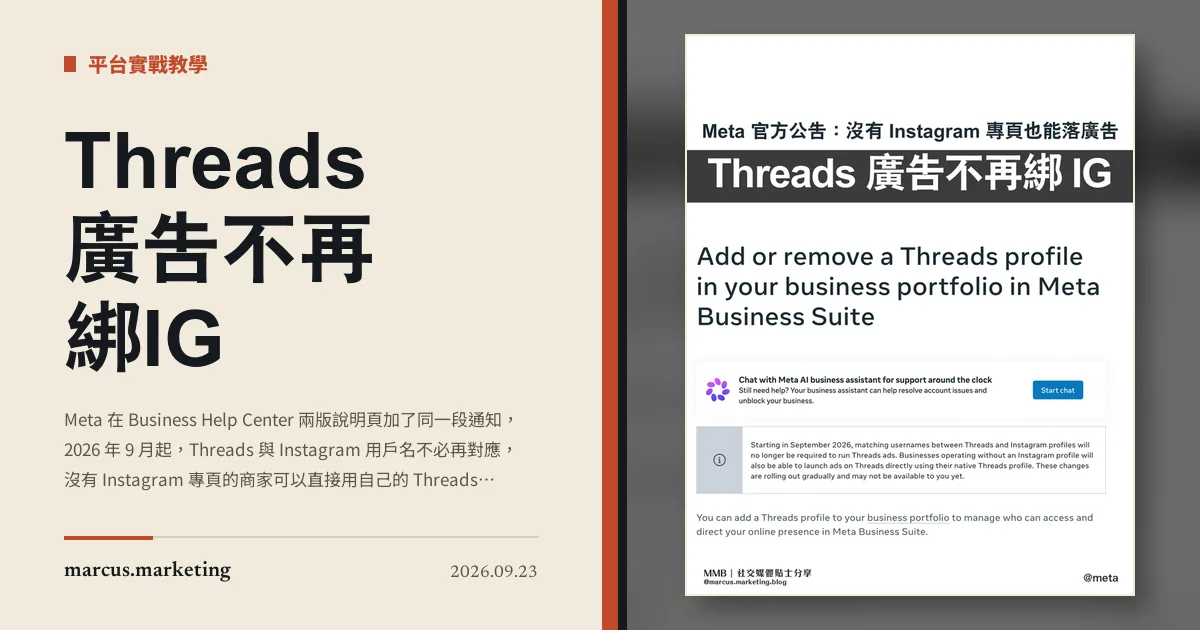
Meta 在官方說明頁加了一段通知,9 月起取消用戶名對應要求
想在 Threads 落廣告,過去要先讓 Threads 的用戶名和 Instagram 對得上。Meta 在 Business Help Center 的〈About ads on Threads〉與〈Add or remove a Threads profile in your business portfolio in Meta Business Suite〉兩版,都加了同一段通知:
Starting in September 2026, matching usernames between Threads and Instagram profiles will no longer be required to run Threads ads. Businesses operating without an Instagram profile will also be able to launch ads on Threads directly using their native Threads profile. These changes are rolling out gradually and may not be available to you yet.
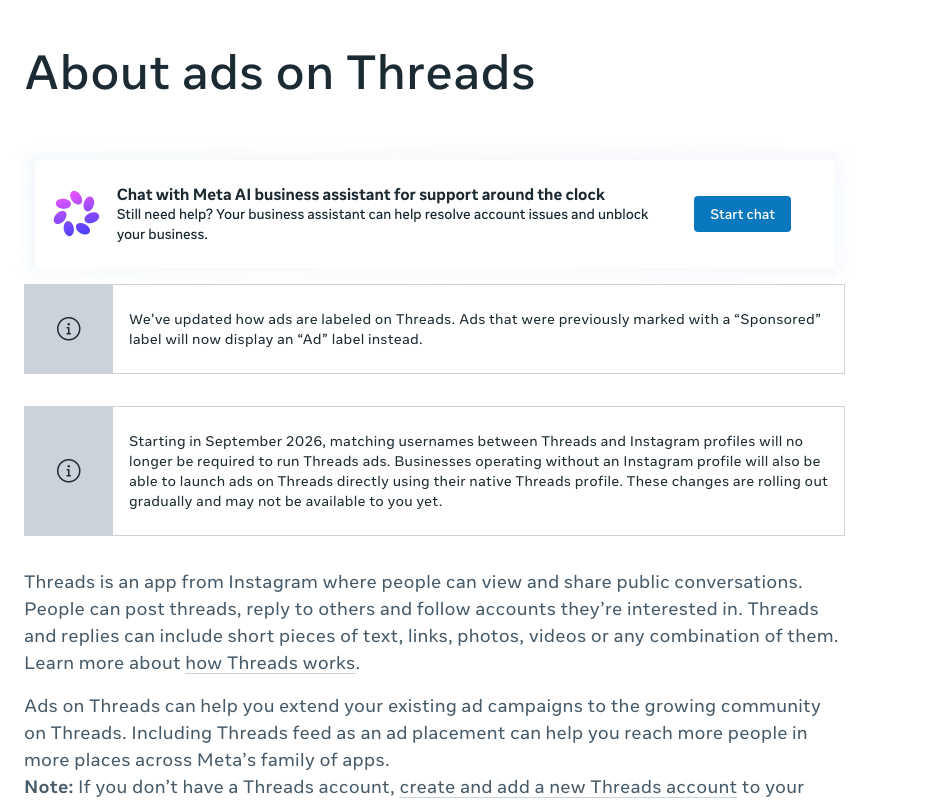
這段字實際鬆開了兩道關卡。一是對名,Threads 和 Instagram 用戶名不必再一樣;二是入場資格,官方原文寫的是 businesses operating without an Instagram profile 也能直接用 native Threads profile 落廣告。
第三句同樣要看。官方自己寫明改動是 rolling out gradually,而且 may not be available to you yet。你今天進 Ads Manager 看不到分別,是官方預告過的狀態,不是帳戶出問題。
同一版說明頁的「開始之前」仍然列著舊要求
通知說的是將來,頁面其餘部分說的是現在,兩者暫時並未同步。同一版〈Add or remove a Threads profile〉往下捲,「Before you begin」三項要求一項沒少:
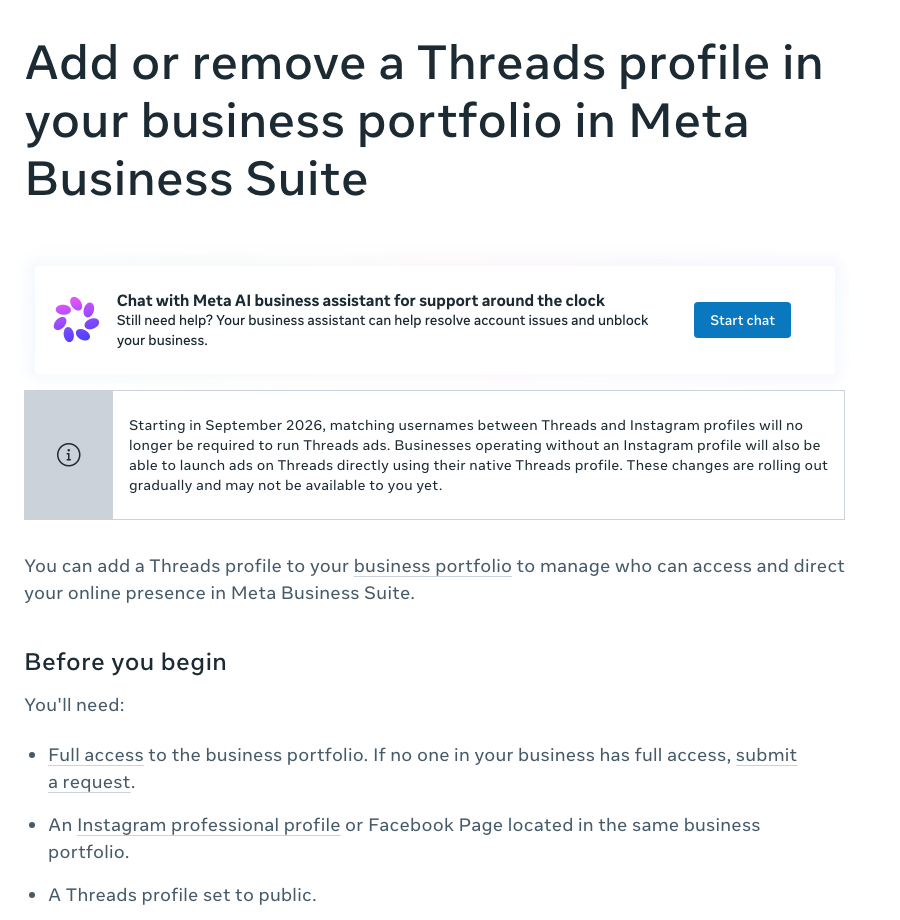
Full access to the business portfolio. An Instagram professional profile or Facebook Page located in the same business portfolio. A Threads profile set to public.
中間那一項,要求同一個 business portfolio 裡有 Instagram 專業帳號或者 Facebook 專頁。通知說沒有 Instagram 也落得,這一項說要有 Instagram 專業帳號或 Facebook 專頁,兩段怎樣並存,官方未說明。
比較合理的讀法是,這一節寫的是將 Threads profile 加進 business portfolio 的門檻,而通知寫的是推出之後落廣告的門檻,兩者是不同的一步。但官方沒有這樣分開寫,所以這是本站的讀法,不是官方說法。
實務上所以多了一個動作。改動既然逐步推出,文件又暫時各說各話,落廣告之前自己進 Meta Business Suite 的設定看一次 Threads accounts 那一欄,比照著文件推算可靠。
廣告標籤由 Sponsored 改成 Ad
同一版〈About ads on Threads〉上面那段通知,說的是另一件事:
We've updated how ads are labeled on Threads. Ads that were previously marked with a "Sponsored" label will now display an "Ad" label instead.
這件事本身不改任何設定,但會改你手上的參考資料。你之前為客戶做的示範截圖、內部教學文件、交給客戶的成效報告,只要當中出現過 Sponsored 這個字眼,現在的畫面已經對不上。
Threads 廣告盤現在有多大
官方在同一版說明頁寫出的規模是這樣:
Connect with a growing community of over 500 million people seeking ideas and conversation.
另一句對正在落 Meta 廣告的人更實際:
The ad placement Threads feed will be automatically selected by default when you use Advantage+ placements.
用 Advantage+ placements 的話,Threads feed 是預設被選上的。換句話說,不少香港廣告主其實已經在 Threads 出過廣告,只是從來沒有特地為它做過素材。這次改動之後,Threads 由一個順帶被勾選的版位,變成一個可以獨立開帳戶、獨立做素材的盤。
Threads 廣告的全球擴展,本站在一週社交媒體新聞(2026 年 7 月 27 日至 8 月 2 日)記過,當時 Meta 在季度業績會上同時公佈月活躍用戶突破 5 億。
這次改動對香港廣告主的實際影響
現在不必動手,但要開始分開想。
過去帳號策略是一體的:Instagram 用甚麼名、走甚麼路線,Threads 就跟著走,因為不跟就落不了廣告。對名要求一取消,這條綁繩就鬆了。兩個平台可以用不同名字、對應各自的受眾、跑不同的廣告帳戶,而 Threads 上的人本來就和 Instagram 那批不完全重疊。
鬆綁之後最直接受惠的,是香港那批沒有 Instagram 的客戶。B2B、專業服務、傳統行業,Facebook 專頁經營了很久,Instagram 一直開不起來,也沒打算開。這類客戶過去要碰 Threads 廣告,得先養一個對得上名的 Instagram 帳號,成本高、理由弱,多數就此擱下。官方通知寫明沒有 Instagram 專頁也能直接用 Threads profile 落廣告,這條路短了一大截。
但別照著文件排時間表。官方自己標明 may not be available to you yet,所以你的帳戶還沒見到、同行已經見到,兩件事可以同時成立。要確認就進 Meta Business Suite 自己看一次。
官方未說明的部分
- 各地區的推出次序,包括香港在內的時間表,官方未說明。
- 新通知與同一頁「Before you begin」要求如何並存,官方未說明。
- 用 native Threads profile 落廣告的實際操作步驟,官方未說明。
- 對名要求取消之後,用戶名改動會否影響現有廣告帳戶的權限,官方只寫了廣告本身照常投遞,權限部分未說明。
常見問題
現在還需要 Instagram 帳號才能在 Threads 落廣告嗎?
官方通知寫明 2026 年 9 月起不再需要用戶名對應,沒有 Instagram 專頁的商家也可以用自己的 Threads profile 直接落廣告。但改動逐步推出,你的帳戶未必已經開通,官方原文是 may not be available to you yet。同一版說明頁的「Before you begin」現在仍然要求同一個 business portfolio 內有 Instagram 專業帳號或 Facebook 專頁,兩段如何並存官方未說明。
我的 Threads 用戶名和 Instagram 不同,之前的廣告會受影響嗎?
官方在說明頁寫明現有廣告照常投遞:Any existing ads in Meta Business Suite will continue to be delivered as usual, including if a Threads or Instagram username changes。
香港的帳戶現在見到這項改動嗎?
官方沒有公佈任何地區次序,只寫了逐步推出。實際情況要自己進 Meta Business Suite 的設定,在 Threads accounts 那一欄確認。
Threads 廣告的標籤為甚麼由 Sponsored 變成 Ad?
Meta 在〈About ads on Threads〉寫明已經更新廣告標示方式,過去標為 Sponsored 的廣告,現在改為顯示 Ad。官方沒有說明原因。
怎樣將 Threads profile 加進 business portfolio?
官方步驟是進 Meta Business Suite,左邊按 Settings,在 Accounts 之下按 Threads accounts,按 + Add,同意條款後按 Add Threads account,輸入 Threads 用戶名和密碼登入,見到確認訊息按 Done。如果生意本來已經用某個 Threads profile 落廣告,官方文件列明該 Threads profile 已經在同一個 business portfolio,不必自己再加。